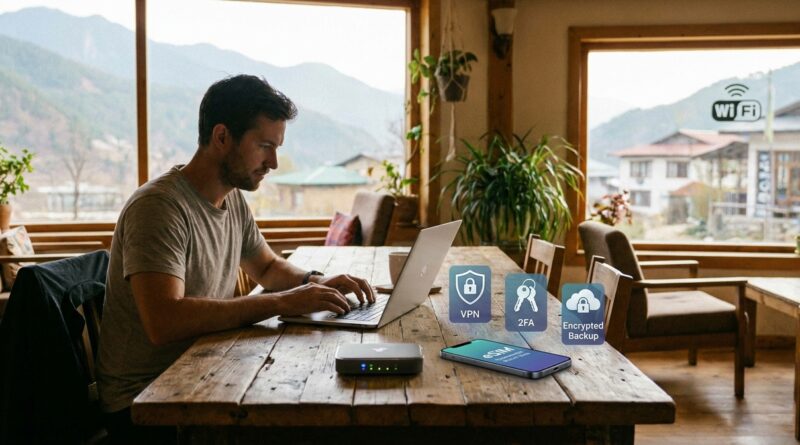
The New ‘Zero Public Wi‑Fi Stack’: How Nomads Can Kill 90% Of Their Cyber Risk In A Weekend
You do not need to be careless to get burned on public Wi-Fi. That is what makes this so frustrating. You can be the person who uses strong passwords, avoids weird links, and still end up logging into your bank on an airport network that was a bad idea from the start. For digital nomads chasing financial independence, that is not a small mistake. It can mean drained accounts, stolen sessions, locked email, and weeks of cleanup while your work and travel plans fall apart. The good news is you do not need a degree in cybersecurity to fix most of this. A clean digital nomad public wifi security setup can cut a huge chunk of your risk in one weekend. Think of it less like buying one magic app and more like building a small stack. Your phone, laptop, hotspot, password manager, and 2FA all need to work together. Once they do, the whole road life feels a lot less fragile.
⚡ In a Hurry? Key Takeaways
- The safest default is simple: stop using public Wi-Fi for anything important and route your laptop through your own phone hotspot or travel router with a trusted VPN.
- Set up a weekend stack with a password manager, app-based 2FA, device auto-updates, firewall on, and separate accounts for banking and daily browsing.
- This will not make you invincible, but it can remove most of the easy attack paths that catch travelers in cafés, airports, hotels, and coworking spaces.
What “Zero Public Wi-Fi Stack” actually means
The name sounds dramatic, but the idea is very practical. You stop treating random Wi-Fi like a normal utility and start treating it like a risky public restroom. Use it only if you must, and avoid touching your face afterward.
A zero public Wi-Fi stack does not always mean you never connect to shared Wi-Fi again. It means your default setup avoids direct trust in public networks. Your own connection becomes plan A. Shared Wi-Fi becomes backup only.
That one mindset shift fixes a lot.
The big risk most nomads underestimate
People hear “public Wi-Fi risk” and picture a movie hacker staring at green code. Real life is usually more boring and more dangerous. It looks like fake hotel login pages, evil twin networks with names close to the real one, old routers with known bugs, browser session theft, or malware delivered through sketchy update prompts.
Worse, many travelers do sensitive tasks in tired, rushed moments. You land late. Your phone battery is low. The Airbnb Wi-Fi does not work. The airport network asks you to sign in. You just want to check your bank, pay a bill, upload client work, and sleep.
That is exactly when mistakes happen.
If you want a good companion read on the financial side of this problem, see The New ‘Public Wi‑Fi Risk Map’: How Digital Nomads Can Lock Down Their Money Before The Next Coffee Shop Hack. It does a nice job connecting sloppy network habits with real money damage.
The weekend setup that kills most of the risk
1. Make your phone hotspot your default internet
If your mobile plan allows it, this is the easiest upgrade of the bunch. Instead of joining café, airport, or hotel Wi-Fi on your laptop, connect your laptop to your phone’s hotspot.
Why it helps: you control the connection. There is no shared login portal, no mystery router in the back room, and far fewer chances of joining a fake network.
Do these three things:
- Rename your hotspot to something boring that does not identify you.
- Use a long, unique hotspot password.
- Turn hotspot off when you are not using it.
If you work heavily online, consider a second SIM or eSIM just for data. That gives you a backup when one carrier is weak.
2. Add a trusted VPN, but do not treat it like magic
Yes, use a VPN. But use it correctly. A VPN is one layer, not the whole plan.
A good VPN can help protect traffic on networks you do not trust, and it can stop some snooping between your device and the wider internet. But it does not save you from phishing, malware, fake login pages, or weak passwords.
Look for these basics:
- Clear no-logs policy.
- Kill switch, so traffic stops if the VPN drops.
- Apps for your laptop and phone.
- Good reputation over time, not just flashy ads.
Set it to auto-connect on unknown networks. Then test the kill switch before you travel.
3. Use a travel router if you stay places for more than a few days
This is the step that makes nomad life feel organized. A travel router connects to the local internet once, then creates your own private little network for your devices.
So instead of connecting your laptop, phone, tablet, and work gear directly to hotel or Airbnb Wi-Fi, they connect to your router. That cuts down on repeated exposure and makes your setup more consistent.
A decent travel router can also:
- Run your VPN at the router level.
- Keep your devices on one familiar network name.
- Make it easier to isolate work devices from everything else.
If that sounds too technical, do not worry. Many modern travel routers are much easier than they used to be. The first setup takes a little patience. After that, it is mostly plug in and go.
4. Move from text-message 2FA to an authenticator app
SMS codes are better than nothing, but they are not your best option on the road. Travelers lose SIM access, switch numbers, hit roaming issues, or get caught in SIM-swap scams.
Use an authenticator app for your important accounts instead. Better yet, use a hardware security key for your main email and password manager if those services support it.
Priority order:
- Main email account.
- Password manager.
- Banking and brokerage accounts.
- Cloud storage.
- Business tools like Stripe, PayPal, and team logins.
Also save backup codes offline. Print them or store them in an encrypted emergency file you can access if your phone dies or gets stolen.
5. Use a password manager and stop reusing anything
This is not exciting advice, but it matters. If one account gets exposed, reused passwords let the damage spread fast.
Your password manager should generate long, unique passwords for every account. Then protect that vault with a very strong master password and strong 2FA.
If you only do one cleanup task this weekend, audit these first:
- Banking
- Brokerage
- Cloud storage
- Payment processors
- Your mobile carrier account
6. Split your financial life from your everyday browsing
This sounds nerdy. It is actually simple. Use a separate browser profile, or even a separate device if possible, for sensitive money tasks.
That means your banking and investing logins are not mixed with random extensions, dozens of open tabs, travel booking sites, and whatever else daily life throws at your main browser.
A very practical version looks like this:
- Browser Profile 1: general browsing, email, social, YouTube, research.
- Browser Profile 2: banking, brokerage, taxes, payment tools only.
Do not install extra extensions on the finance profile. Keep it clean.
7. Turn on automatic updates and restart your devices
This one gets skipped because it feels too basic. But old software is one of the easiest ways in.
Update your:
- Laptop operating system
- Browser
- Phone operating system
- Router or travel router firmware
- Password manager app
- VPN app
Then restart. A lot of people install updates and never reboot, which means the fix is not fully active yet.
8. Lock down your laptop like you expect it to be lost
Travel increases theft risk along with hacking risk. So make your devices safe even if they leave your hands.
At minimum:
- Turn on full-disk encryption.
- Require a password or biometrics on wake.
- Enable Find My or device tracking if available.
- Set short auto-lock times.
- Turn on the built-in firewall.
This is boring prep. It is also the kind that saves you when your bag gets lifted in a train station.
A realistic “do this in one weekend” checklist
Saturday morning
- Update laptop and phone.
- Turn on full-disk encryption and firewall.
- Clean up browser extensions. Remove anything you do not trust or use.
Saturday afternoon
- Install or clean up your password manager.
- Change passwords for email, banking, brokerage, and cloud storage.
- Move key accounts to app-based 2FA.
Sunday morning
- Set your phone hotspot as default for sensitive work.
- Install your VPN and enable auto-connect on unknown networks.
- Test your hotspot and VPN together.
Sunday afternoon
- Create a separate browser profile for financial tasks.
- Save and print backup codes for critical accounts.
- If you bought a travel router, set it up and test it before your next move day.
Common mistakes that undo a good setup
Even smart people do these. Usually when they are tired.
- Joining a network because the name looks right, without confirming with staff.
- Logging into a bank account from a captive portal page or pop-up.
- Ignoring browser certificate warnings.
- Using SMS 2FA for your most important accounts when better options are available.
- Keeping work, money, and random browsing all in one messy browser profile.
- Thinking a VPN means every other security habit can slide.
What this setup does not solve
It is important to be honest here. No security stack kills 100 percent of risk.
This setup will not save you if:
- You type your password into a fake site that looks real.
- You install malware disguised as software or a browser update.
- Someone gains access to your unlocked device.
- Your email account was already compromised before you started.
But it does remove a huge amount of casual, common, and avoidable risk. That matters. Most trouble on the road comes from weak defaults, not elite spy-level attacks.
How much should you spend?
You can build a solid stack without going overboard.
- Password manager: usually low monthly or yearly cost.
- VPN: modest subscription.
- Travel router: one-time purchase.
- Hardware security key: optional, but smart for your main accounts.
Compared with the cost of a stolen account, missed client work, frozen cards abroad, or a compromised brokerage login, this is cheap insurance.
At a Glance: Comparison
| Feature/Aspect | Details | Verdict |
|---|---|---|
| Phone hotspot vs public Wi-Fi | Your hotspot gives you a private, controlled connection. Public Wi-Fi depends on unknown hardware, old firmware, and whoever else is on the network. | Use hotspot by default for anything important. |
| VPN alone vs full security stack | A VPN helps protect traffic, but it does not stop phishing, malware, bad passwords, or stolen devices. | Important layer, not a complete solution. |
| Single browser life vs separated finance profile | Mixing banking with daily browsing increases exposure to risky extensions, bad tabs, and accidental logins on unsafe networks. | Separate your finance profile. It is simple and worth it. |
Conclusion
Public and semi-public networks are getting nastier, not nicer. Hotel routers often go unpatched for years. Traveler scams are getting more polished. Quiet attacks that grab logins, session cookies, and 2FA codes are very real. At the same time, more people are running their whole financial life from a laptop on the road. That is a lot of trust to place in a random café network. The fix is not paranoia. It is a repeatable system. A smart digital nomad public wifi security setup gives you a checklist instead of a vague fear. Start with your own hotspot, add a trusted VPN, clean up passwords, move important accounts to app-based 2FA, and separate your money tasks from your everyday browsing. You can do most of it in a weekend. Then you get to keep the upside of location freedom without feeling like every login is a gamble with your FI future.